Namkos Progress Bar
Increase Average Order Value With Visual Progress
Why Choose Our Progress Bar?
Everything you need to motivate customers and boost your average order value with visual progress indicators.
Increase Average Order Value
Motivate customers to add more items to their cart by showing progress toward rewards.
Fully Customizable
Match your brand perfectly with complete control over colors, messages, and styling.
Real-Time Updates
Progress bar updates instantly as customers add items to their cart. No page refresh needed.
Mobile Optimized
Looks perfect on all devices with responsive design. Adapts seamlessly to any screen size.
Easy Setup
Get started in minutes with an intuitive interface. No coding required - just set your goal and go live.
Track Performance
See views and goals reached on every plan. Growth and Scale add revenue, conversions and average order value.
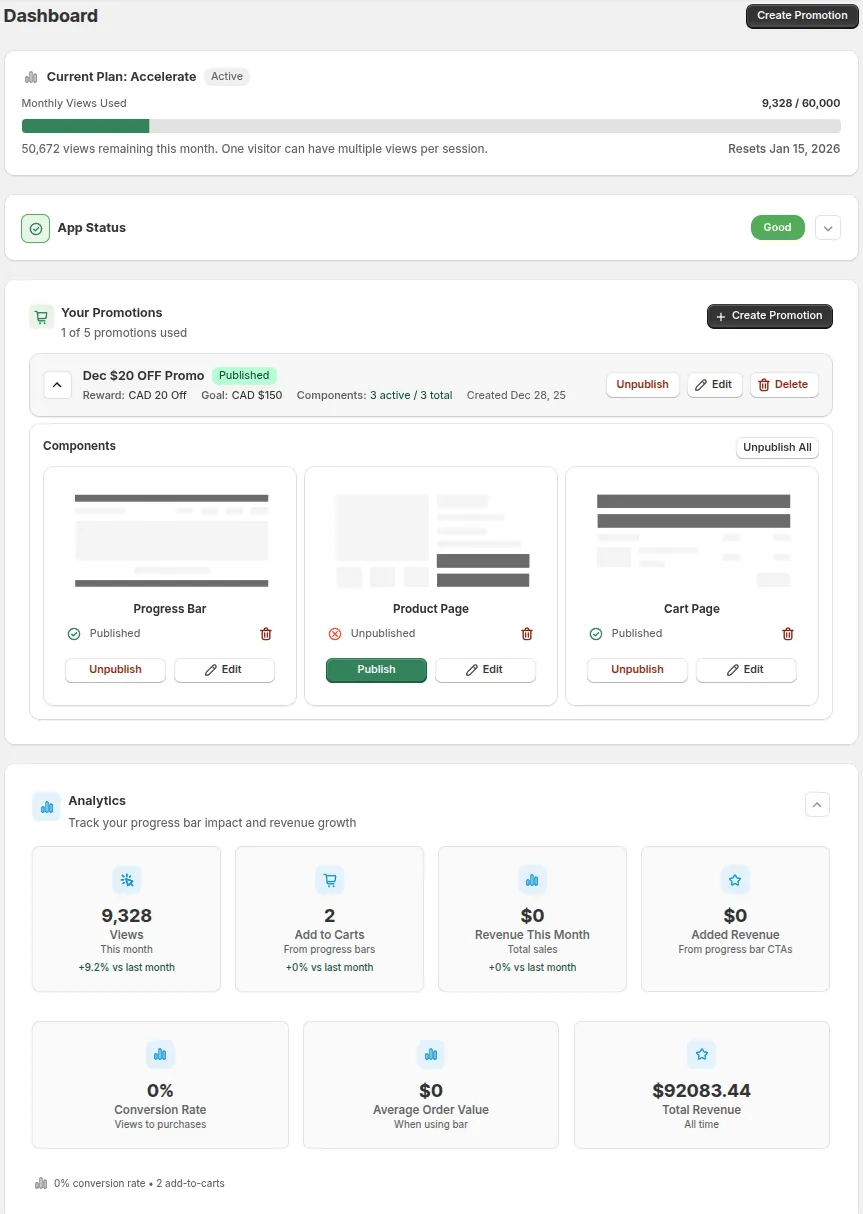
Simple Dashboard, Powerful Results
- See views and goals reached at a glance, plus revenue on Growth and Scale.
- Manage all promotions from one place.
- Quick actions - edit, duplicate, delete, publish.
Progress Bar Component
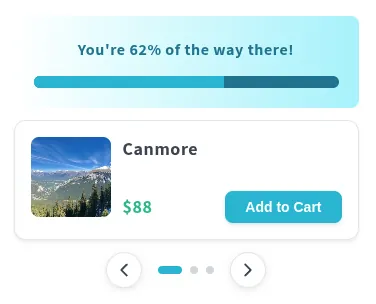
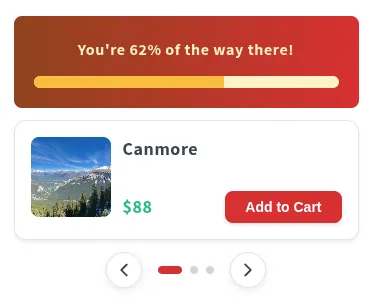
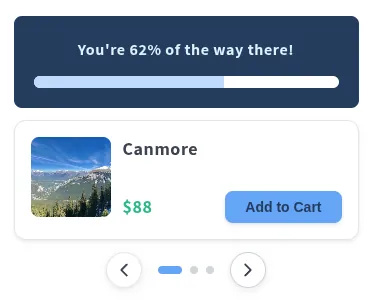
A sleek, attention-grabbing bar that displays at the top or bottom of your store, motivating customers to reach your spending goal and unlock rewards.
- Flexible placement - Position at the top or bottom of the page
- Fixed or scrollable - Stays visible or scrolls with the page
- 20+ color templates - Match your brand or use seasonal themes
- Dynamic messages - Show remaining amount in real-time
- Optional CTA button - Drive customers to specific pages
Available on all plans



Product Page Component
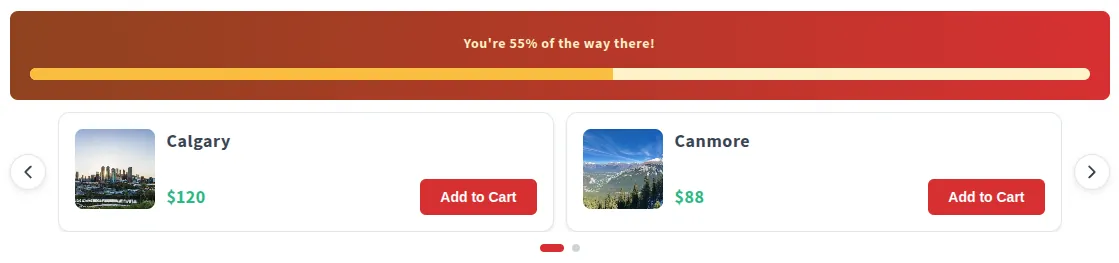
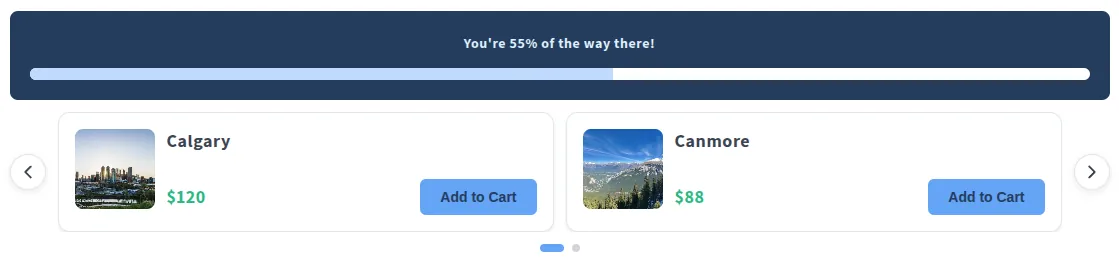
Display progress bars and upsell recommendations directly on product pages to encourage customers to add more items.
- Upsell slider - Show products you pick, based on the cart gap amount
- 3-tier pricing system - Different products at different thresholds
- One-click add to cart - Seamless shopping experience
- Targeted placement - Show on all or specific products
- Goal reached bonus - Show bonus products after threshold
Available on every plan. Upsells need Growth or Scale
Cart Page Component
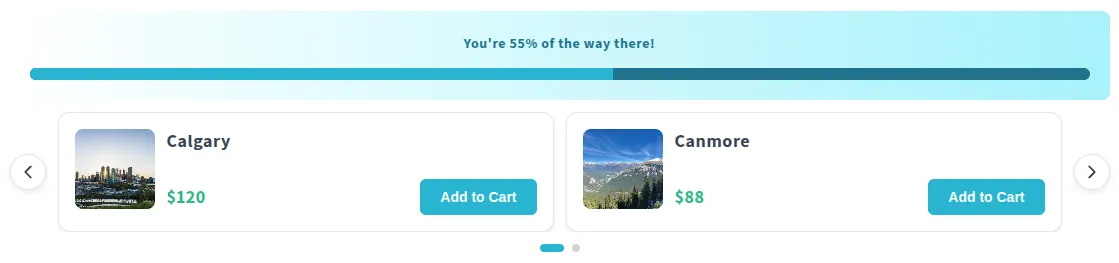
The final push before checkout. Display progress and upsell recommendations right in the cart to maximize order value.
- Strategic placement - Top of cart or below checkout button
- 2-product upsell row - Wider layout shows more options
- Last-minute suggestions - Catch customers before they checkout
- Full-width preview - See exactly how it looks before publishing
- Independent controls - Toggle bar and upsells separately
Available on every plan. Upsells need Growth or Scale
Merchants See Real Results
The smart way to motivate customers to spend more and unlock rewards like free shipping, discounts, or gifts
Setup Time
Forever Plan
No credit card required
Setup & Controls
Complete guide to setting up and managing your progress bar promotions
Installation & First Launch
Recorded before the September 2026 pricing update. Paid plans now have a 14-day free trial, not 7 days, and the product page and cart page are on every plan, including free.
This guide walks you through installing Namkos Progress Bar and getting started. By the end, you'll have the app installed and ready to boost your store's average order value.
Finding the App
Visit namkos.com ↗ and click "Apps" in the navigation menu, then select "Namkos Progress Bar." Click the "Install on Shopify" button to go directly to the Shopify App Store.
Alternatively, search "Namkos Progress Bar" in the Shopify App Store ↗ from your Shopify admin.
See this step in the video (0:25)
Installation & Permissions
On the app listing page, click **"Install"** Shopify will show you the required permissions
These are standard Shopify requirements and your data is always secure. Click "Install" to continue.
See this step in the video (1:30)
First Login & Your Plan
After installation, you'll land on the Namkos Progress Bar dashboard. At the top, you'll see your current plan.
You start on the Launch plan, free forever with no credit card required. It includes every placement: top/bottom bar, product page and cart page.
Paid plans (Growth and Scale) include a 14-day free trial so you can test them before being charged.
Dashboard Quick Tour
See this step in the video (3:12)
Next Steps
Before your progress bars can appear on your store, you need to enable the App Embed in your theme. This is a one-time setup that takes less than 10 seconds.
Pro Tips
- •The Launch plan is free forever - no credit card required
- •You must enable the App Embed before progress bars appear on your store
- •Paid plans come with a 14-day free trial
Ready to Boost Your Average Order Value?
Install Namkos Progress Bar today and start motivating customers to spend more.