Namkos Progress Bar for Shopify — Boost Average Order Value
Namkos Team
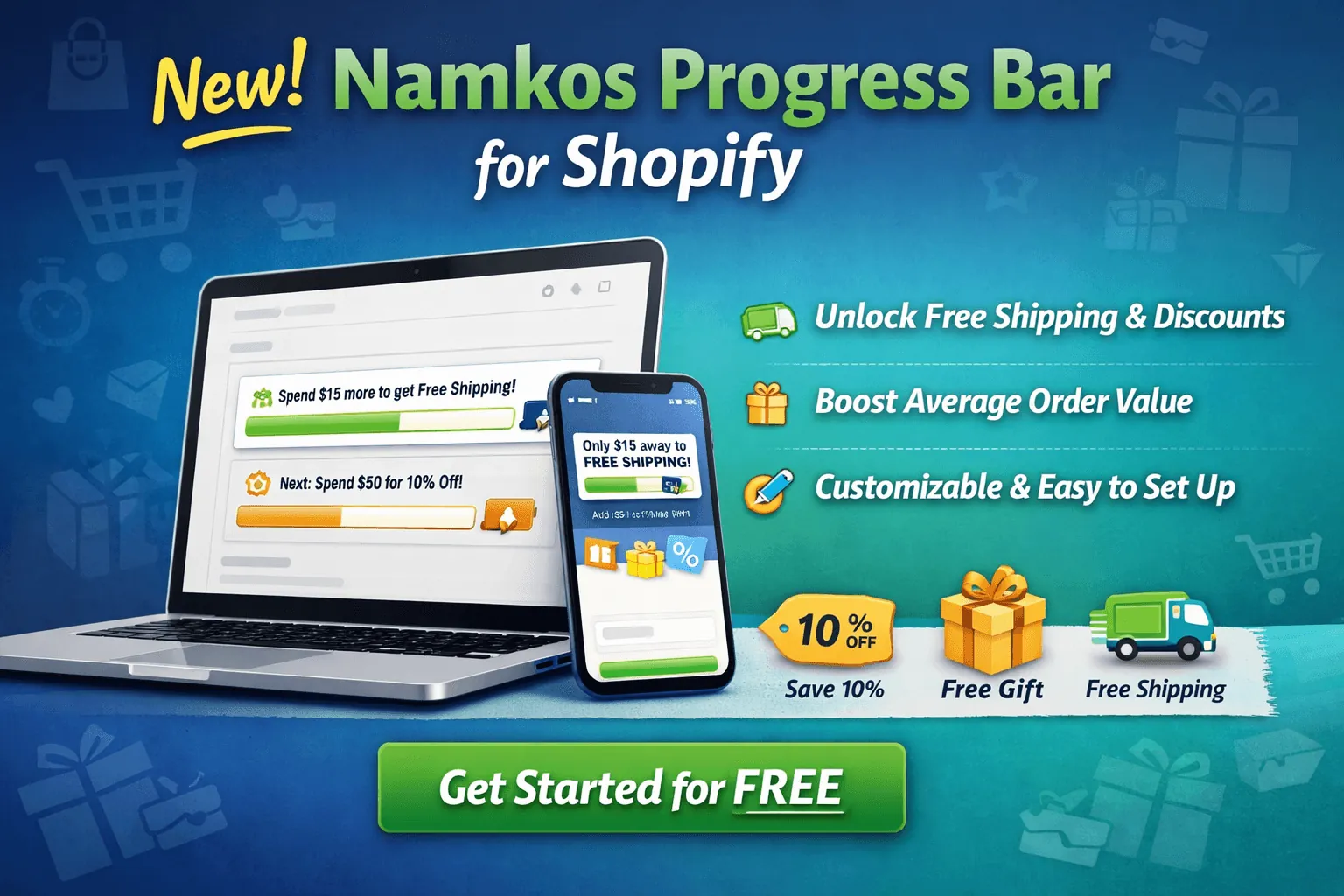
Summary: We just launched Namkos Progress Bar, a Shopify app that adds a visual progress bar to your store. Start free with every placement, then unlock product page upsells, cart page upsells, and advanced analytics on the paid plans. Here's everything you need to know.
You know that feeling when you're shopping online, and a bar on the page says "You're only $12 away from free shipping"? Whether it's an announcement bar at the top of the store, a nudge on the product page, or a reminder at checkout, that small prompt is surprisingly powerful. It turns a casual browser into a motivated buyer, and it's one of the simplest ways to increase your average order value without running a single ad.
That's exactly why we built Namkos Progress Bar.
Key Takeaways
📌 Namkos Progress Bar is a brand-new Shopify app from the Namkos team, free to start
📌 It shows customers a visual progress bar toward rewards like free shipping, discounts, and gifts across your store
📌 Upgrade for product page upsells, cart page upsells, and advanced analytics
What Is Namkos Progress Bar?
Namkos Progress Bar is a Shopify app that adds a customisable, visual progress bar to your store. It shows your customers exactly how close they are to unlocking a reward, whether that's free shipping, a percentage discount, or a free gift.
The idea is simple. When shoppers can see their progress toward a goal, they're more likely to add another item to their order. It taps into basic psychology: people want to complete what they've started, and a progress bar makes the finish line visible.
We designed it to be the easiest and lightest progress bar on the Shopify App Store. No bloated code, no complex setup, no developer skills required. You install it, set up your promotions, customise the look to match your brand, and you're live.
Why We Built It
We've been building tools for Shopify merchants since day one. Our Easy Announcement Bar has helped stores communicate promotions, build trust, and capture emails. But we kept hearing the same question from merchants: "Can you help me get customers to spend more per order?"
Average order value (AOV) is one of the most impactful metrics for any e-commerce store. Even a small increase in AOV can have a massive effect on your bottom line over time. The challenge is that most AOV strategies, like bundling or upselling, require a lot of setup and testing.
A progress bar is different. It's visual, immediate, and requires almost no effort from the merchant. That's our kind of tool: simple to set up, meaningful in results.
What Can It Do?
Namkos Progress Bar comes with a generous free plan to get you started, plus paid plans for merchants who want to take things further.
What You Get on the Free Plan
The free plan gives you everything you need to start motivating customers right away.
Create Multiple Promotions. Set up different promotions, each with its own goal and reward. For example:
- A free shipping promotion when customers spend $50
- A 10% discount promotion when they reach $75
- A free gift promotion at $100
Each promotion is fully customisable. You decide the goal amount, reward type, and messaging.
Customise the Design. The progress bar is built to blend in with your store's branding. You can adjust colours, fonts, bar styles, and messaging directly from the app's dashboard. No CSS knowledge needed.
Mobile-First and Lightweight. Performance matters. We built Namkos Progress Bar to be lightweight and performance-minded, so it won't slow down your store or hurt your Core Web Vitals. The bar renders cleanly on every device, from desktop to mobile, without adding unnecessary load time.
Works With Your Theme. Whether you're using a free Shopify theme like Dawn or a premium theme, Namkos Progress Bar is designed to integrate smoothly. Place it as an announcement bar, on product pages, on the cart page, or wherever it makes sense for your store.
What You Get on the Paid Plans
When you're ready to grow, the Growth and Scale plans unlock powerful features that go beyond a basic progress bar.
Product Page Upsells. The product page bar is free. The paid plans add one-click upsell products under it. Customers can see how close they are to a reward before they even reach the cart, and the upsell suggestions help them get there faster. This is a great way to increase both conversion rate and average order value at the same time.
Cart Page Upsells. The cart page is where buying decisions are finalised. The cart page bar is free, and the paid plans pair it with upsell products you pick. It shows customers relevant products that would push them past the next reward threshold.
Advanced Analytics. The free plan lets you set up and run your progress bar, but the paid plans tell you exactly how it's performing. Track how your progress bar influences order values, which promotions are most effective, and how your upsell components are converting. Data-driven decisions lead to better results.
How It Helps Your Store
If you're wondering whether a simple progress bar can actually move the needle, the answer is yes. Progress bars are one of the most widely used AOV strategies in e-commerce, and for good reason.
When customers can see that they're $15 away from free shipping, many will actively look for something else to add. It reframes the decision from "do I want to pay for shipping?" to "what else can I get to earn free shipping?" That mental shift is where the magic happens.
In our experience with merchants who use visual incentives, we typically see noticeable lifts in average order value within the first few weeks. Results vary based on niche, traffic, and execution, but the pattern is consistent: when you show customers a clear goal, they work toward it.
Getting Started in Minutes
Setting up Namkos Progress Bar takes just a few steps.
- Install the app from the Namkos Progress Bar page
- Choose your reward type (free shipping, discount, free gift, or a combination)
- Set your order value goals for each promotion
- Customise the bar's appearance to match your store
- Publish, and you're live
The entire process takes minutes, not hours. And if you run into any questions along the way, our support team is here to help.
Full Documentation Available
We've put together detailed documentation to walk you through every feature of the app. Whether you want to fine-tune your reward messaging, adjust targeting rules, or explore advanced customisation options, you'll find step-by-step guides in our docs.
You can find the full documentation at the bottom of the Namkos Progress Bar app page. It covers installation, configuration, reward setup, design customisation, and troubleshooting.
What's Next
This is just the beginning for Namkos Progress Bar. We're actively listening to merchant feedback and building new features to make the app even more powerful. If there's something you'd love to see, reach out to us. We build for merchants, and your input shapes what comes next.
Namkos Progress Bar joins our growing family of Shopify tools alongside the Easy Announcement Bar. Together, they give you a simple, powerful toolkit for communicating with your customers and encouraging them to take action.
Frequently Asked Questions
Is Namkos Progress Bar free? Yes, you can start with the free plan, which includes the progress bar on the top/bottom bar, product page and cart page, with customisable promotions and full design controls. Product page upsells, cart page upsells, and advanced analytics are available on the paid plans.
Do I need any coding or developer skills to set it up? Not at all. The app is designed for merchants of all technical levels. You can install it, configure your rewards, and customise the design entirely from the app's dashboard, no code required.
Will it slow down my store? No. We built Namkos Progress Bar to be lightweight and performance-minded. It's optimised for speed and won't negatively impact your Core Web Vitals or page load times.
Does it work with all Shopify themes? Yes. The app is designed to work with all Shopify themes, including free themes like Dawn and premium third-party themes. If you experience any issues, our support team can help.
Where can I find the documentation? Full documentation is available at the bottom of the Namkos Progress Bar app page. It covers everything from installation to advanced configuration.
Free Plan Available • No Credit Card Required