How to Set the Right Free Shipping Threshold on Shopify
Namkos Team
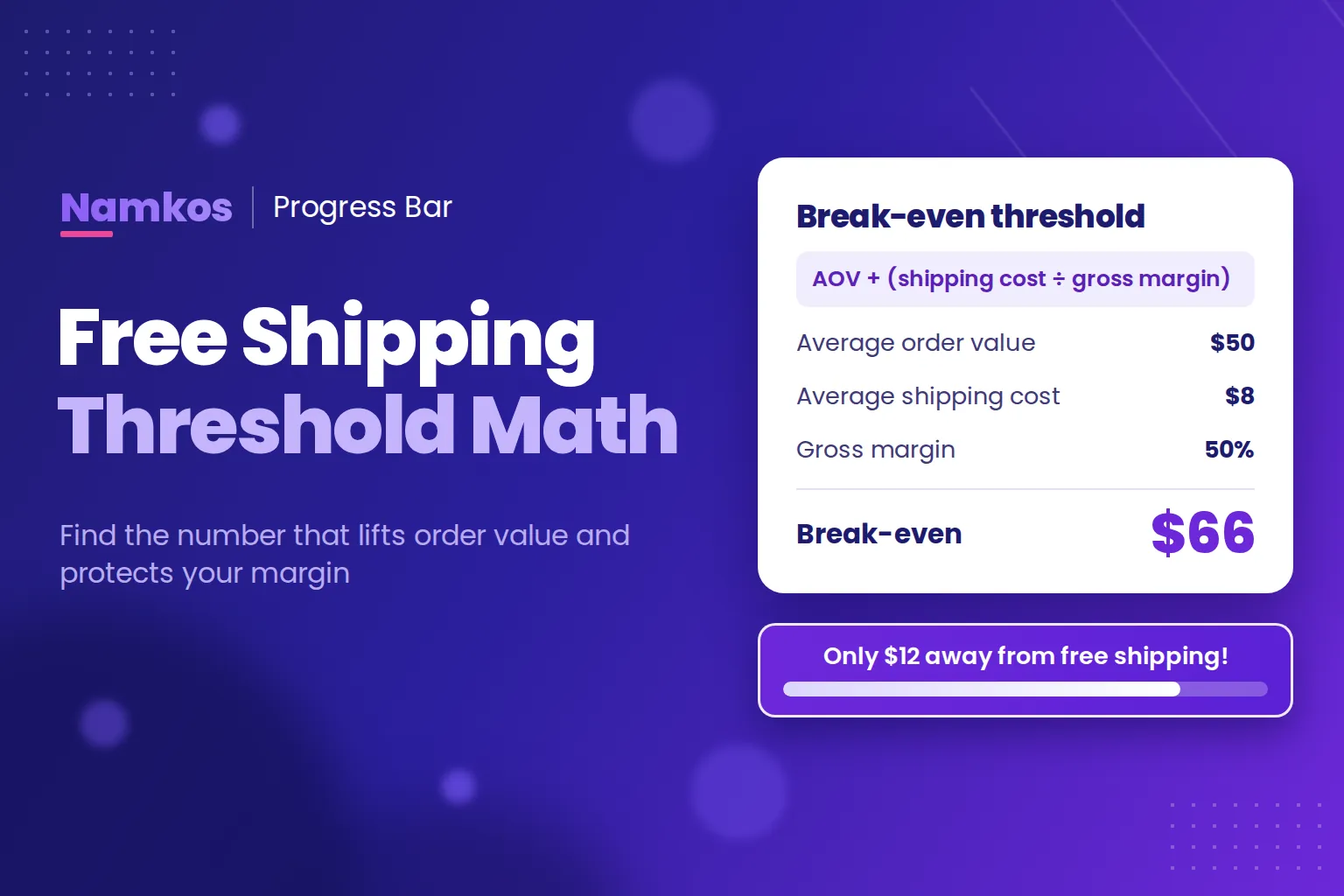
Summary: The usual advice is to set your free shipping threshold 20% to 30% above your average order value. That is a good starting point, but it can still lose money. This guide shows the break-even check to run first, AOV + (shipping cost ÷ gross margin), how to compare it against your own orders, and how to test the result.
Your free shipping threshold can raise your order value and quietly cost you money at the same time. Set it too low and you pay to ship orders that would have happened anyway. Set it too high and shoppers stop trying.
The common rule is to add 20% to 30% to your average order value. We have recommended it ourselves in our quick tips for Shopify progress bars, and it is a fine place to begin. But it leaves out the two numbers that decide whether the offer makes money: what shipping costs you, and how much margin you keep on each extra dollar.
Here is how to set the right free shipping threshold for your Shopify store using your own numbers. You need a recent order export and about 30 minutes.
Key takeaways
- Start 20% to 30% above your average order value, then check that number against your break-even.
- Your break-even threshold is AOV + (shipping cost ÷ gross margin).
- Look at where your orders actually cluster, then test one threshold at a time.
What Is a Free Shipping Threshold?
A free shipping threshold is the minimum cart value a shopper must reach to get free delivery on an order. It gives shoppers a reason to add one more item, and it gives you more order value to help cover the cost of delivery. On Shopify, you can set one up as a shipping rate condition or as an automatic discount.
What the Research Says About Free Shipping Thresholds
Delivery costs change buying decisions. In the Baymard Institute's 2026 survey of US online shoppers, extra costs such as shipping, tax and fees were the top reason for abandoning a purchase, named by 40% of respondents once people who were only browsing are set aside.
Thresholds also change how much people buy:
- A Harvard Business School working paper studied four years of orders at an online fashion retailer and found "pronounced bunching of order sizes above the free shipping threshold."
- When one online retailer lowered its threshold from $49 to $25, average items per order fell from 3.31 to 2.53, according to a working paper by Yang, Essegaier and Bell.
A threshold is not automatically profitable, though. A study in Marketing Science found that free shipping offers, including threshold offers, were "very effective in generating additional sales." It also found that lost shipping revenue, and the shoppers who did not respond, were enough to make those promotions unprofitable for the retailer it studied.
That is why the math below matters.
Free plan available • No credit card required • Live in 3 steps
How to Calculate Your Free Shipping Threshold in 4 Steps
Step 1: Pull Your Real Order Data
Find your average order value (AOV) in Shopify under Analytics > Reports, in the Average order value over time report. Then export your orders from the Orders page. The CSV includes a Subtotal column, which is each order's value before shipping and taxes.
Use the last 90 days and leave out big sale periods, because a sale can make your normal order value look higher or lower than it is. Orders with several products take up several rows with many blank fields, so ignore any row with no Subtotal.
Step 2: Set Your Starting Point
Multiply your AOV by 1.2 and by 1.3. For a store with a $50 AOV, that gives a starting range of $60 to $65.
Step 3: Work Out Your Break-Even Threshold
Each extra dollar of sales only earns you part of a dollar. So the extra spend has to be large enough for your margin on it to pay for the shipping.
Break-even threshold = AOV + (average shipping cost ÷ gross margin)
| Input | Example |
|---|---|
| Average order value | $50 |
| Average shipping cost | $8 |
| Gross margin | 50% |
| Extra spend needed ($8 ÷ 0.50) | $16 |
| Break-even threshold | $66 |
Here is why that works. A shopper who spends $50 and pays you $8 for shipping leaves you $25 in margin, with the shipping cost covered. A shopper who spends $66 with free shipping leaves you $33 in margin, minus $8 for shipping. That is also $25.
In this example, the 20% to 30% rule lands at $60 to $65, just under break-even. The rule alone would not have told you that.
Two things can change your result:
- If you already pay for shipping on every order, the math is more forgiving, because a threshold cuts a cost you are already carrying. The risk is that some shoppers are put off by a new fee.
- If shoppers above your new threshold used to pay for shipping, that income goes away. The higher order value from everyone else has to make up for it.
Step 4: Check It Against Your Orders
An average can hide what shoppers really do, so count your orders by value. Here is an illustrative 90 days for a store with a $50 AOV:
| Order subtotal | Orders | Share |
|---|---|---|
| Under $40 | 64 | 32% |
| $40 to $54.99 | 70 | 35% |
| $55 to $69.99 | 40 | 20% |
| $70 to $99.99 | 18 | 9% |
| $100 and up | 8 | 4% |
Now compare three possible thresholds:
- $55: 33% of orders already qualify, and it sits below break-even. You would be paying to ship a third of your orders with no change in behaviour.
- $70: only 13% already qualify, and another 20% are within $15. It clears break-even, and a real group of shoppers has a reason to add something. This is the one to test.
- $100: just 4% qualify, and only 9% are within $30. Most shoppers will never try.
You are looking for a number above break-even with a healthy group of orders just below it. There is no universal figure, because every store's orders fall differently.
Then make sure you sell something that fits the gap. If shoppers are usually $10 to $15 short and your cheapest add-on is $30, the goal will feel out of reach. Our guide to cart page upselling covers how to match products to the gap.
Common Free Shipping Threshold Mistakes
- ❌ Using an AOV from a sale month. Your threshold should reflect a normal month, not your busiest promotion.
- ❌ Forgetting your most expensive rates. If you ship internationally or offer express delivery, an average can hide orders that cost far more to send. Work those out separately.
- ❌ Running two rules that disagree. If your Shopify shipping settings give free shipping at $50 while your store promotes $70, shoppers qualify before your message says they do. Keep one number.
- ❌ Setting it and never checking it again. When carrier rates or your prices change, your break-even changes too.
How to Test Your Free Shipping Threshold
Run your new threshold for two to four weeks, or longer if your store has low traffic. Change only the threshold during that time, then compare the results with a similar period before the change:
- Average order value. Did it rise?
- Conversion rate. Did it fall? A bigger order is not a win if fewer people buy.
- Shipping cost as a share of sales. Is delivery taking more or less of your revenue?
- Profit per visitor. This is the one that decides it: (gross margin on sales + shipping charged − shipping paid) ÷ visitors.
A before-and-after comparison is not a true A/B test, because traffic and seasons change too. Look for a clear difference, and do not judge a threshold over Black Friday or another big promotion. Results vary based on niche, traffic, and execution.
How to Show Your Threshold With Namkos Progress Bar
Shoppers cannot aim for a goal they cannot see. Namkos Progress Bar shows them how close they are as they shop, with messages like "Only $12 away from free shipping!" Free shipping is one of four reward types, alongside a percentage discount, a dollar discount and a free gift.
You enter your threshold as the Goal Amount on a promotion. When you publish it, the app creates an automatic Shopify discount for free shipping, percentage or dollar rewards, so shoppers do not need a code. A free gift is shown on the bar, but you add the gift to the order yourself.
Setup is three steps, and one of them is enabling the app embed in your theme editor. There is no code to write, and the bars are built to be lightweight and mobile-first. The video below walks through creating a promotion, and our step-by-step setup guide covers the rest.
Recorded before the September 2026 pricing update. The plans have changed, but the promotion steps are the same.
A few details are worth knowing before you publish:
- The goal is measured on the cart subtotal, so shipping never counts toward it.
- Free shipping is not limited to one rate or country. Once a cart reaches the goal, the reward applies to the whole delivery group, so express and international options can be free too. Include them in your math and run a test checkout with your most expensive rate.
- The free shipping reward does not combine with product discounts. It does combine with order discounts. Test checkout with any codes you plan to run.
- Each promotion has one goal, in your store's base currency. If you sell in several currencies, check each one at checkout before you rely on it.
- Changing the goal unpublishes the promotion so you can review it. Publish it again to go live.
The free Launch plan includes 2 promotions, every placement (top or bottom bar, product page and cart page) and 10,000 views a month, which is about 300 visitors a day. If you reach that limit, the bars stop showing until the monthly count resets. Two promotions also let you add a second reward once the first is paying for itself, such as free shipping at $70 and 10% off at $100. Run the same break-even check on it.
Launch shows views and goals reached, and Shopify Analytics covers the rest of the test above. If you want revenue and AOV inside the app, Growth adds full analytics for $4.99 a month, with a 14-day trial.
For other ways to lift order value, read our guide to increasing average order value on Shopify.
Your Free Shipping Threshold Checklist
- Export 90 normal days of orders and find your AOV.
- Multiply your AOV by 1.2 and 1.3 to get a starting range.
- Calculate your break-even: AOV + (shipping cost ÷ gross margin).
- Count your orders by value and pick a number above break-even with a healthy group just below it.
- Confirm you sell an add-on that fits the usual gap.
- Remove any free shipping rule that disagrees with your new number.
- Test for two to four weeks, then judge it on profit per visitor.
Frequently Asked Questions
What is a good free shipping threshold for a Shopify store? There is no single right number. Start 20% to 30% above your average order value, then make sure it is at least your break-even: AOV + (shipping cost ÷ gross margin). Check that number against your own order data before you use it.
Should my free shipping threshold be higher than my average order value? Usually, yes. If it sits at or below your average order value, many orders will qualify without shoppers adding anything, so you pay for shipping without getting a larger order in return.
How long should I test a free shipping threshold? Run it for two to four weeks, or longer if your store has low traffic. Change only the threshold during the test, and avoid judging it over Black Friday or another big promotion.
Does Namkos Progress Bar apply free shipping automatically? Yes. When you publish a free shipping, percentage or dollar promotion, the app creates an automatic Shopify discount, so shoppers do not need a code. Free gifts are shown on the bar, and you add the gift to the order yourself.
Do I need to know how to code to add a threshold progress bar? No. Setup is three steps with no code to write. One of those steps is enabling the app embed in your Shopify theme editor.
Free plan available • No credit card required • Live in 3 steps